Technology is supposed to make life easier, but for many older adults, it often does the opposite:
- tiny buttons
- constant updates
- too many apps
- passwords that never seem to work
- screens that change after every software update
What was meant to help can quickly become another source of stress.
That’s why the best technology is not always the newest or most advanced. It is the technology that fits naturally into someone’s daily life, solves a real problem, and gives them more confidence instead of more confusion.
Here’s how to choose technology that actually supports independence, safety, and everyday confidence—without making simple things harder than they need to be.
Start With the Tasks That Matter Most
Before choosing any device, it helps to look at the moments where technology is actually needed.
Does the person need an easier way to call family? A way to reach help quickly? A reminder to take medication? A safer way to live alone? A better way to hear calls or read messages?
This matters because not every senior needs the same kind of technology. Someone who mostly wants to stay in touch with family may not need the same device as someone managing health reminders or emergency support.
The best place to start is not with the device, but with the daily task the device needs to make easier.
Make Communication the Foundation
For many families, the most useful starting point is not a complicated smartphone but something as simple as buying a flip phone for seniors that makes calling, texting, and reaching help easier without overwhelming the person using it.
Communication is often the foundation of independence. If someone can easily call a family member, contact a doctor, answer an important message, or get help in an emergency, they may feel more secure throughout the day.
Also, this is where a simple design makes a real difference. Large buttons, a bright screen, loud speaker volume, long battery life, and clear menus are not just convenience features.
They can decide whether a device is actually used when it matters.
Think About Safety Without Taking Away Control
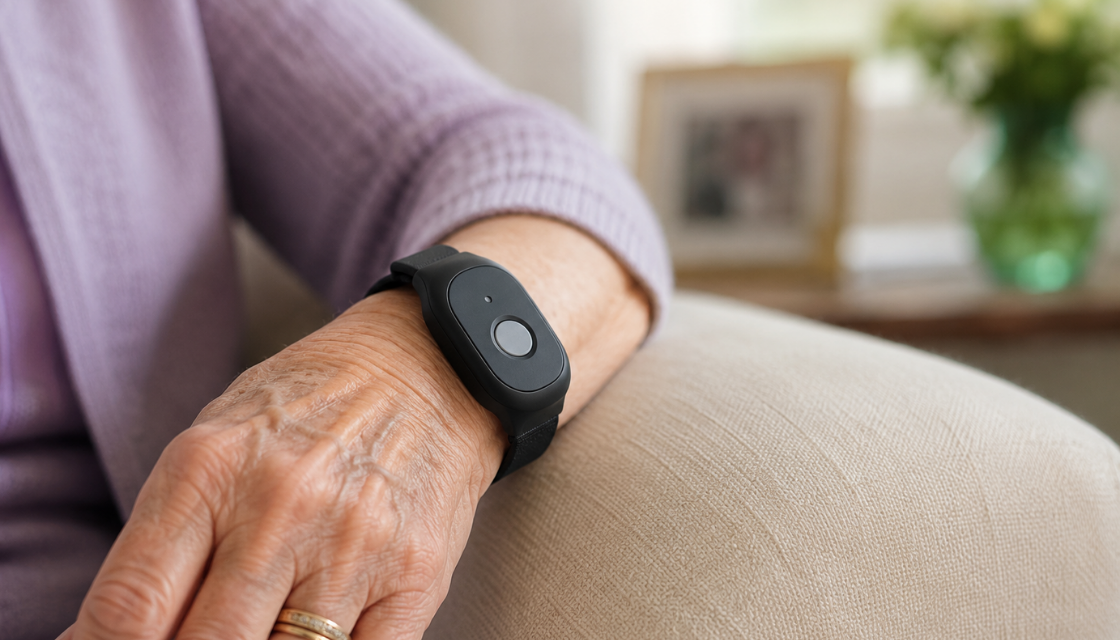
Safety technology for seniors has grown quickly, from emergency response tools to medication reminders, fall detection, and wearable devices. Used well, these tools can help older adults remain independent while giving loved ones peace of mind.
But safety features should feel supportive, not controlling.
The goal is not to make someone feel watched. The goal is to make help easier to access if something goes wrong. A good device gives the person more confidence to move through the day, not less privacy or dignity.
As LTC News notes, the right technology choices can support quality of life, independence, and safer aging at home when they match a person’s actual needs and abilities.
Choose Devices That Match Physical Comfort
Senior-friendly technology is not only about how many features a device has. It is also about how comfortable it is to use.
Can the person see the screen clearly? Are the buttons easy to press? Is the speaker loud enough? Is the device easy to hold? Can it be charged without frustration? Is the menu readable without guessing?
These details may sound small, but they matter in real life. A device that is technically “easy” for one person may still be frustrating for someone with vision changes, hearing loss, arthritis, or reduced dexterity.
Make the Setup Easy to Maintain
Some devices seem simple at first but become frustrating over time because they require constant updates, app logins, password resets, Wi-Fi troubleshooting, or help from someone else.
That is where many seniors lose confidence. The problem is not always the device itself. It is the maintenance around the device.
A good technology choice should be easy to keep using after the first week. It should not depend on remembering multiple passwords, navigating hidden settings, or fixing problems every time something changes.
The less often someone has to ask, “Why did this stop working?” the more useful the device becomes.
Look for Technology That Supports Independence
The point of senior-friendly technology is not just convenience. It is independence.
The right device can help someone stay connected to family, feel safer living alone, keep track of daily needs, and ask for help without hesitation. It can also help adult children worry less without taking over completely.
That balance matters. Older adults should not feel like technology is replacing their choices or limiting their freedom. The best tools help them keep doing more of what they already want to do.
Technology works for you when it gives you more confidence, more connection, and more control over everyday life.